Logo bibleo
My Church

Your whole church, in one view

The team and their roles, the shared documents, the month of events and everyone's tasks in one place — plus a public link to send, with no account to create. You keep the decision on everything that goes out.

Ruth, Bibleo's AI coordination agentRuth, Bibleo's AI coordination agentJohn, Bibleo's AI visual creation agent★★★★★
Churches, creators & families create with Bibleo
CreateHomeProjectsBibleRuth
Share
Sunday programmeShare
EmailWhatsAppPDFPPTXPublic linkMy church
WHAT THEY OPEN
10:30 · Welcome and worshipClaire's team — 4 songs
11:00 · Message"Sent", Matthew 28:16-20
12:15 · Shared mealeveryone brings a dish — list below
No account, no install: the page just opens.
What you walk away with

A church where everyone knows what to do.

Not another spreadsheet: the team, the documents, the month and the decisions in one place — and each person only sees what concerns them.

Your team, with their roles

Who preaches, who leads worship, who welcomes. Each gets their own access, and nobody wonders who to write to any more.

in 5 minutes

The shared documents

Sunday's service, the event roadmap, the meeting notes: in one place, with the previous versions.

never lost again

The church month

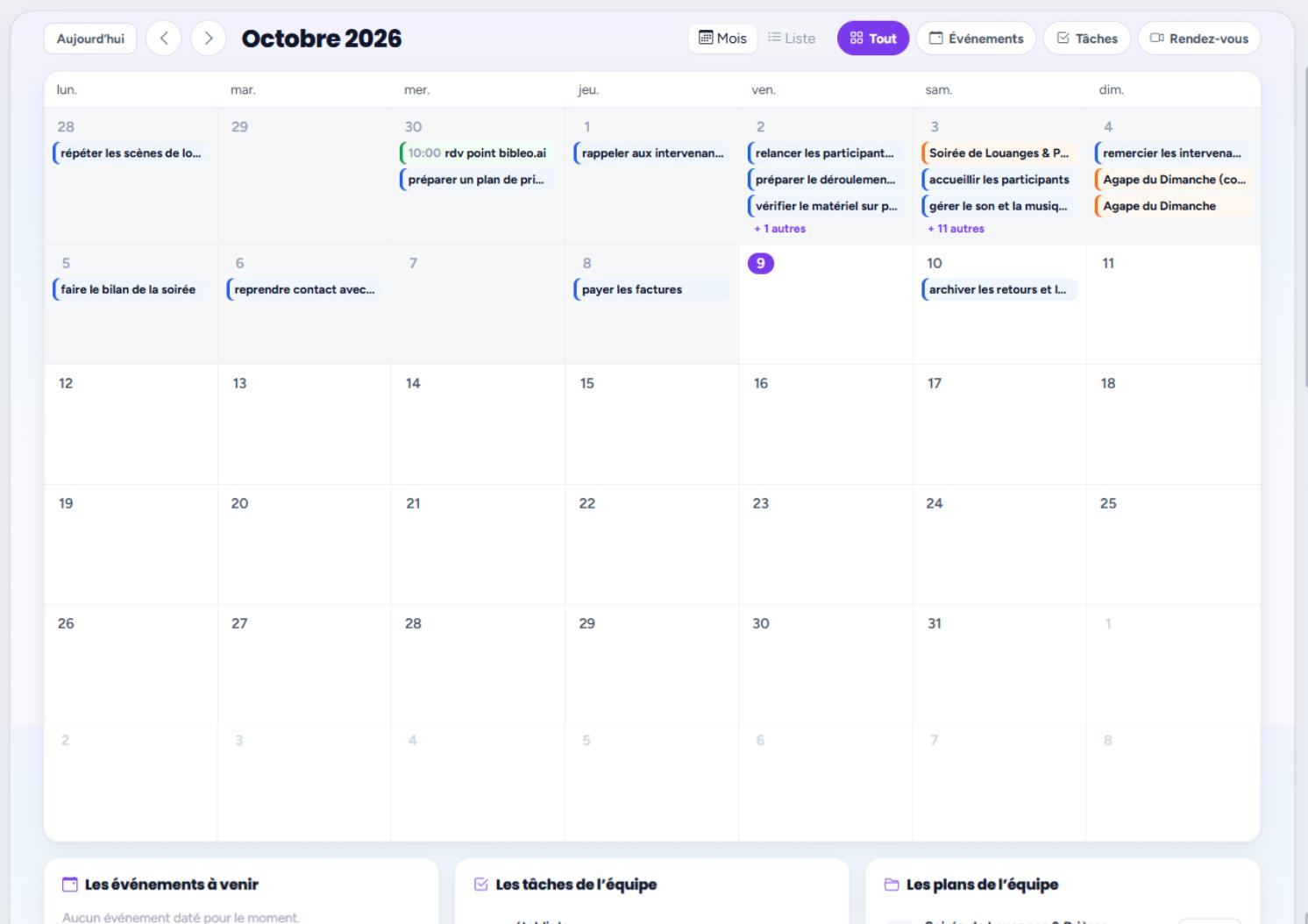
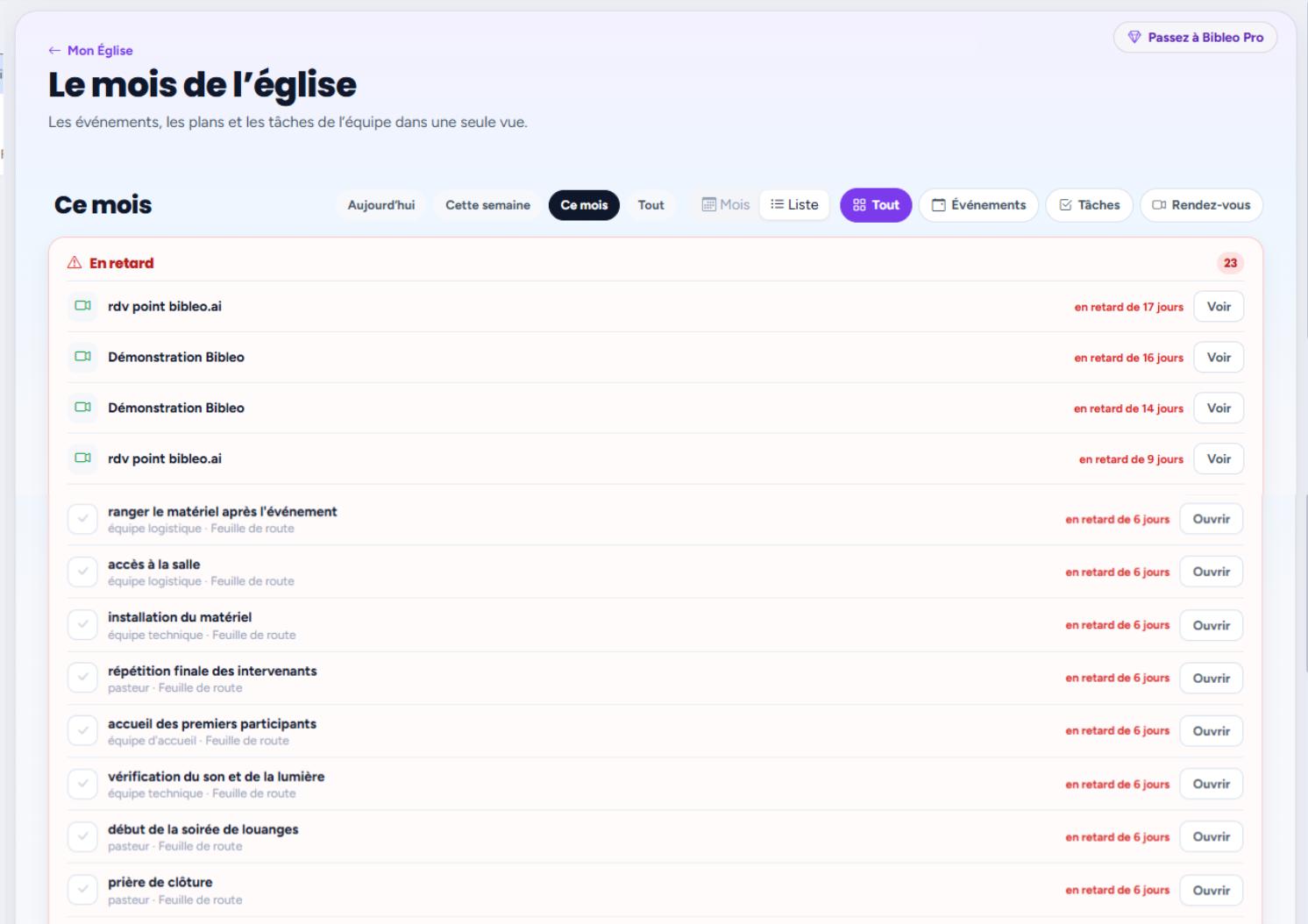
Events, plans and team tasks in one view — grid or list, depending on what you are looking for.

at a glance

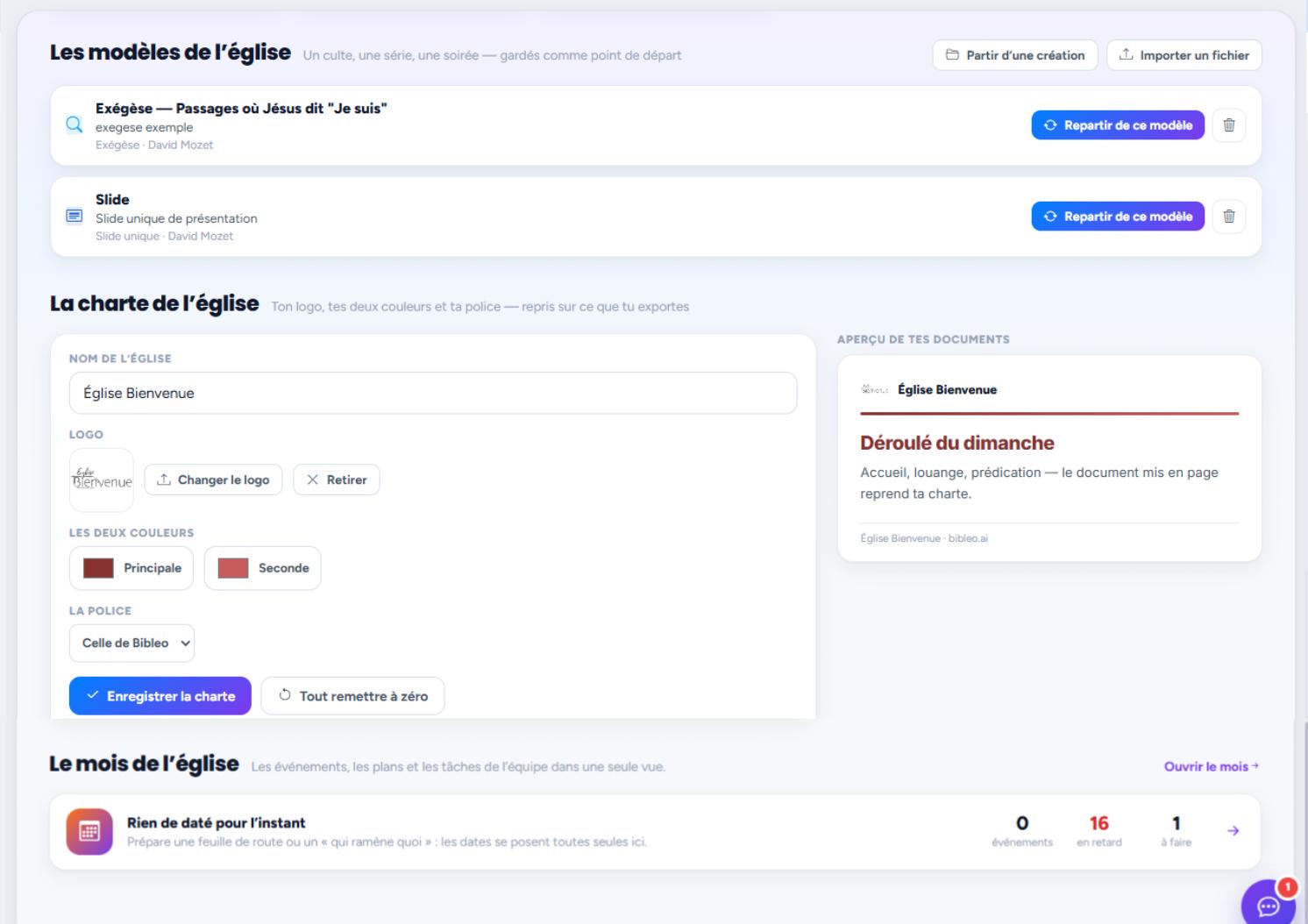
Your church's branding

Logo, colours and font saved once: every image, every slide and every document picks them up.

set once

CreateHomeProjectsBibleRuth
Create
BY NEEDBy need, not by agent
My ChurchPreachPresentationStudyVerseImageVideoSocial mediaCommunicationCreativeEventCampaign
You choose what you are preparing: the right specialist works behind the scenes.
Ruth, coordination de BibleoRuthcoordination

You decide who sees what: a document stays private until you share it.

How it works

From the team to Sunday, in 3 steps

from this coming Sunday to the whole month

1
CreateHomeProjectsBibleRuth
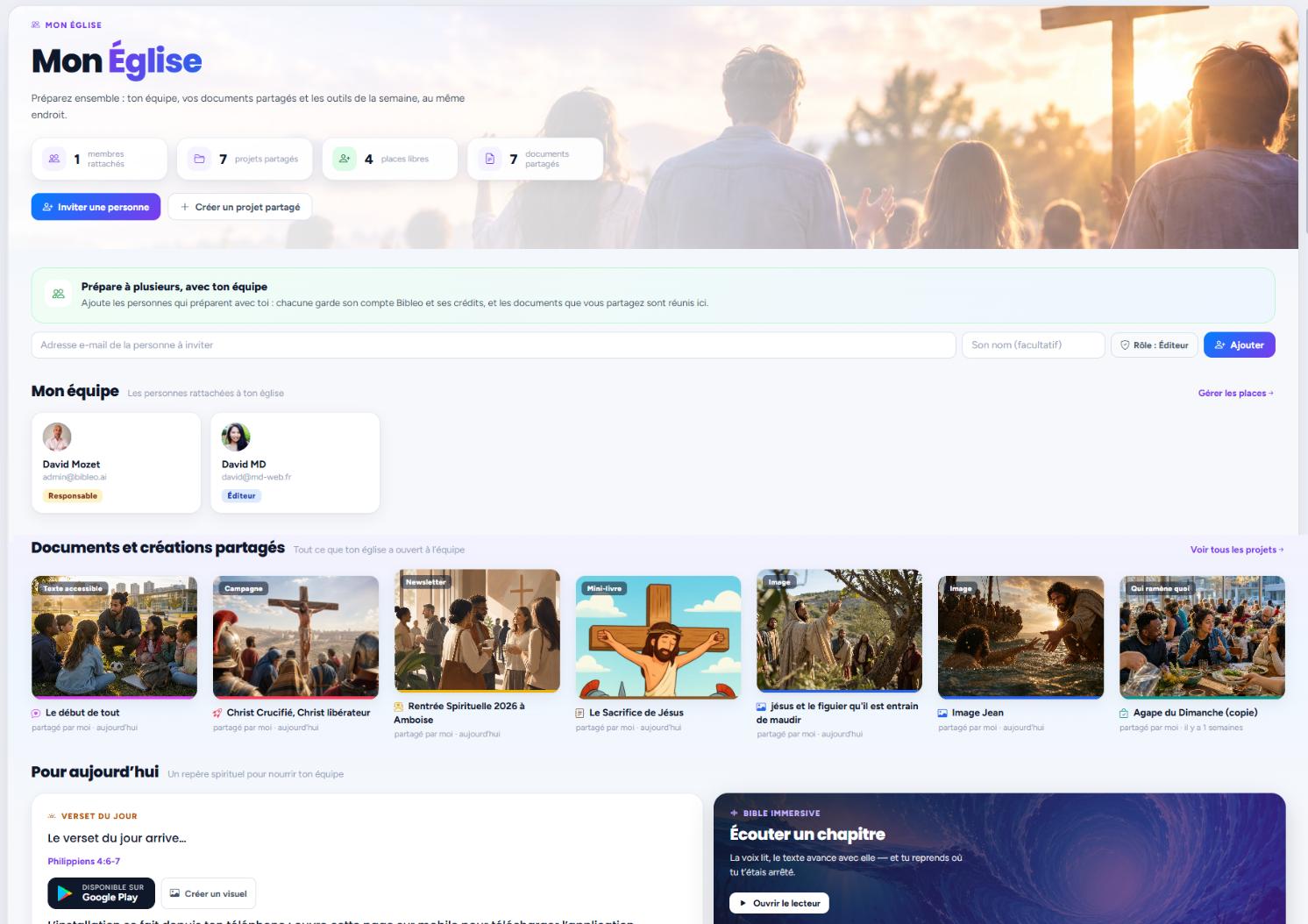
My Church
MY CHURCHMy Church
6members attached
3shared projects
4seats free
12shared documents
Invite someoneStart a shared project
MaryEditor
SamuelEditor
Shared documents, church branding and a public link.
Step 1

Invite your team

The leaders, the worship team, the facilitators. Each gets their own access and roles.

2
CreateHomeProjectsBibleRuth
The month
MY CHURCHThe church month
TodayMarch 2026MonthList
AllEventsTasks
MonTueWedThuFriSatSun
28rehearse the worship sets
29
30bibleo.ai catch-upprepare a prayer plan
1remind the speakers of their role
2follow up with those signed upcheck the equipment
3Worship eveningwelcome the participants
4thank the speakersSunday fellowship meal
5review how the evening went
6
7
8pay the invoices
9
10file the feedback
11
12
13
14
15
16
17
18
Step 2

Lay out the month

Services, meetings and highlights in one view — as a grid or a list.

3
CreateHomeProjectsBibleRuth
Organization
Mission Sunday — who does what2 of 4 done · 50%
J-15
Book the roomMarieJ-15
Order the drinksLucJ-7
Print the programmesJeanJ-3
Set up the roomthe teamJ-1
BUDGET320 €of €400 planned
NEXT DEADLINEPrint the programmesJohn · in 3 days
TEAM4 peopleeach has their task
After the event: report and thank-yous.
Step 3

Share what needs sharing

A document with the team, a public link for the congregation. You review it first.

Features

Concretely, what does does your team find there?

Enough to carry a church week without chasing anyone — and without losing anything from one week to the next.

The team and their roles

Who preaches, who leads worship, who welcomes: each gets their own access and sees what concerns them.

Shared working documents

The service sheet, the meeting notes, the event materials — in one place, editable, with the previous versions.

The church month

Events, plans and team tasks in one view, as a grid or a list, with a filter by period.

Tasks, ticked off by whoever does them

A name, a deadline, a tick box. Progress is visible without having to ask.

Your church's branding

Logo, colours and font set once: artwork, slides and documents pick them up by themselves.

The public link

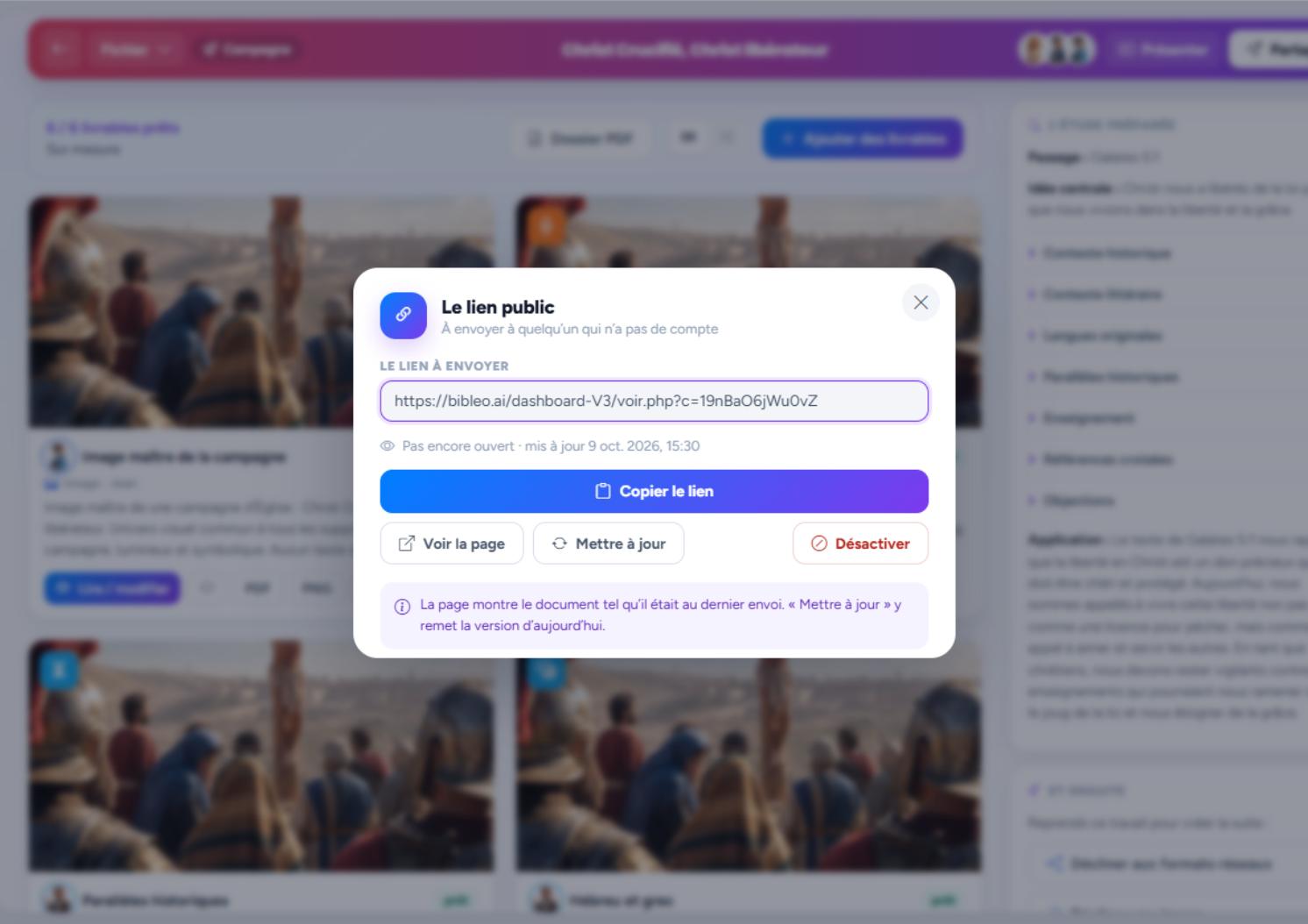
The programme, the report or the thank-yous, laid out and sent as a simple link — with no account to create.

The event wrap-up

Afterwards: a report and thank-yous ready to proofread, email or publish.

Versions and undo

Every document keeps its history: you can go back to the previous version without losing anything.

A church month

The week is coming. It is already covered.

Example: "Mission month."

Four ordinary moments in the life of a church, and what you have in front of you at each one.

My Church · the month as a grid

CreateHomeProjectsBibleRuth
Calendar
RUTHThe church's week
JEU17
VEN18
SAM19
DIM20service
LUN212 actions
MAR22
MER231 event
09:00
Review the sermon"The message of the cross" · 20 min
Project
14:00
Leaders' meetingGoogle Calendar · 30 min
Appointment
18:30
Schedule the postImage + post · Friday
Distribution

Event · who does what, and when

CreateHomeProjectsBibleRuth
Projects
LIBRARYYour documents, kept
Salvation in Christ alonePresentation · Peter · today
Open
The cross — Sunday artworkArtwork · John · yesterday
Open
Discipleship — a study of Luke 14Study · Paul · Monday
Open
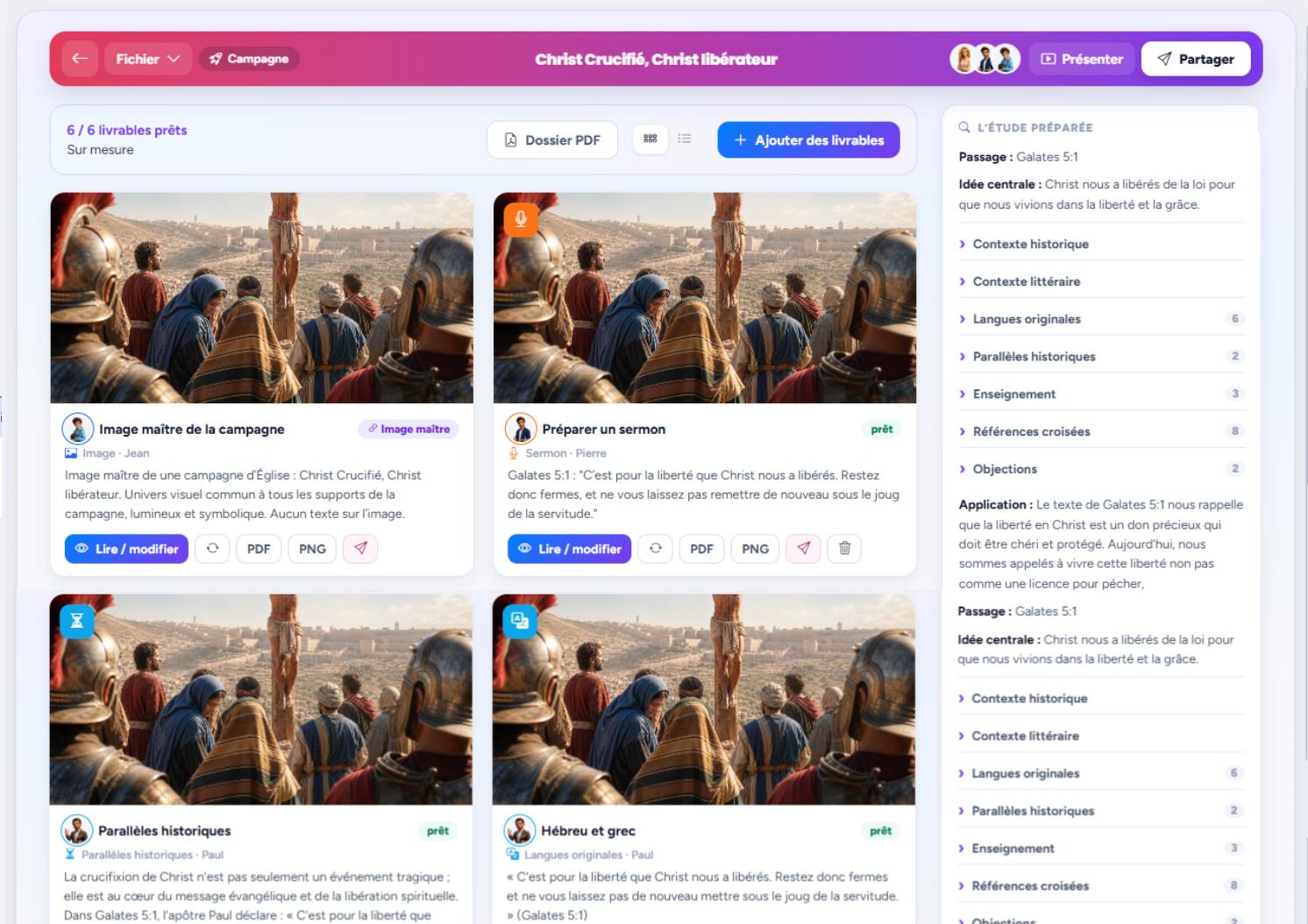
Outreach weekCampaign · Ruth · last week
Open

My Church · working documents

CreateHomeProjectsBibleRuth
Ruth AI
Ruth AITeam coordinator · today's memory
Hello David! Tell me what you want to prepare: a study, a sermon, an image, a verse, a campaign… I'll find the right specialist and keep track of everything today.
Prepare a study on forgivenessAn illustrated verse for InstagramA sermon for SundayLaunch a Christmas campaign
Prepare Mission Sunday

Share · the public link

CreateHomeProjectsBibleRuth
Presentation
PRESENTATIONThe Sunday sheet
1
TitleThe message of the cross
2
The diagnosis"we were without strength"
3
The giftChrist died for sinners
4
The answerliving as reconciled people
PPTXPDFHall screen

Nothing goes out without you: you review every document before sharing it.

Real examples

A church that holds the week

Drag with the mouse or navigate with the arrows.
The team and their roles — exemple créé avec Bibleo Team
The team and their roleseach with their own access
The church month — exemple créé avec Bibleo Month
The church monthgrid or list
The tasks ticked off — exemple créé avec Bibleo Follow-up
The tasks ticked offwho does what, and when
Shared documents — exemple créé avec Bibleo Documents
Shared documentswith their versions
The church's branding — exemple créé avec Bibleo Branding
The church's brandinglogo, colours, font
The public link — exemple créé avec Bibleo Sharing
The public linkto send, with no account
The church's week

One Sunday, seen by the whole team

What everyone has in front of them for Mission Sunday — without having asked anyone for anything.

Mission Sunday23 March · 6 people involved
4 of 5 tasks done
Sermon reviewed Peter · Thursday Announcement artwork published John · Friday Service sheet shared Mary · Saturday Thank-yous to send after the service
Why Bibleo

Organise a church no spreadsheet, no scattered messages

A church's life rarely fits in one tool: the service sheet goes round by message, tasks get lost in conversations, and the programme is retyped every month. The My Church space brings the team, the documents, the month of events and everyone's tasks together in one place — and whatever everyone needs to read is sent as a link, with no account and no install. You stay in charge: nothing is shared until you want it to be.

  • One view for the month: events, plans and tasks
  • Shared documents that keep their versions
  • A public link for what everyone needs to read
  • Built for teams that are not comfortable with computers
Let's be honest

What we are told, and how it really is.

"My team is not comfortable with computers."

That is exactly why this page exists: one view, boxes to tick, a link to send. Anyone who wants to install nothing gets a link and reads the page, with no account and no password.

"We already have a group chat and a spreadsheet."

Keep them. What changes is that the service sheet, the tasks and the materials stop being scattered across ten conversations: they live in one place, with their versions.

"Who sees our church's information?"

You do. A document stays private until you share it, access is granted member by member, and the public link shows only what you put in it.

FAQ

Everything you need to know

What is Bibleo's "My Church" space?

It is where your team finds its working documents, the church month, everyone's tasks and the branding. Each member gets access, and you decide what is shared.

How many people can I invite?

The number of seats depends on your plan. You can invite the leaders, the worship team, the group facilitators or anyone who prepares with you.

Can I share a programme without making people create an account?

Yes. Every document can get a public link: the person opens the page and reads the programme, the report or the thank-yous, with no account and no install.

Can documents be edited by several people?

They are shared with the members you choose, editable, and every previous version stays available: nothing is lost if someone makes a mistake.

What is the church branding for?

You save your logo, your colours and your font once. The artwork, slides and documents produced afterwards pick them up: at last your materials look like each other.

Does this replace our membership software?

No. Bibleo is for preparing and coordinating what the church produces: teaching, materials, events and publishing. Administrative membership management stays with your usual tools.

Your next church month can fit in one single view.

One free creation, no card needed. Start with this coming Sunday.

1 free creation no credit card required you approve before it goes out
🎨 Colors (test)temporary
Font
Appearance
Ruth
Ruth
bibleo assistant
Ruth
Ruth
bibleo assistant
Unlock
State your goal in one sentence (e.g. “I want a verse + a visual + a post”).
Agents available in the dashboard according to your plan. Here, only Ruth is active.