

One message. Too many tools around it.
You might study in one tool, write in another, build the slides somewhere else, then start the context over for the visuals, the video, the newsletter and social media. Bibleo was designed to keep the same thread from the beginning through to sharing.
The context repeats itself
Every time you switch tools, you explain the passage, the audience, the tone and your intent all over again.
Content gets scattered
Notes, images, presentations, videos and posts end up in different folders and services.
Consistency is lost
The sermon says one thing, the visual tells another, and each format starts over almost from scratch.
Time goes into production
Part of the time meant for the message is taken up by formatting, exports and organizing.
You can piece several tools together. Or keep the thread in Bibleo.
Bibleo isn't trying to win a feature war. Its value is connecting the steps around the same biblical message and the same project.
-
1Separate tools
You restate the context every single time.
“I’m preparing a teaching on grace, from Ephesians 2:8-9.”
ThemeGrace PassageEphesians 2:8-9
- Passage studyEphesians 2:8-9to restate
- PresentationEphesians 2:8-9to set up again
- VisualEphesians 2:8-9to adapt again
- the theme
- the passage
- the audience
- the tone
The same context four times, for every creation.
-
2BIBLEO
The context is written once, in the project.
The specialists work from that same direction — you never restate it.
Project · The grace that savescentral project
- Passage
- Ephesians 2:8-9
- Purpose
- Bible teaching
- Audience
- Adult congregation
- Length
- 20 minutes
- Tone
- Measured and structured
 Paulstudysame passage
 Peterpresentationsame passage
 Johnvisualsame passage
-
3Results
Three creations, one passage.
You review, you adjust, you use. Nothing to rebuild.
- Study Saved by grace, through faith Ephesians 2:8-9 Measured · structured
- Presentation The grace that saves — a plan in 4 movements Ephesians 2:8-9 4 movements · teaching-led
- Visual The grace that comes first Ephesians 2:8-9 Understated · luminous
One project. Several creations. One direction.
Built for those who teach every week. With very practical needs.
Bibleo is first for churches and ministries, then for the people who actually carry the preparation, the teaching and the communication.
Churches & ministries
Bring sermons, communication, campaigns, events, content and planning together around one vision.
Pastors & teachers
Go deeper into the text, structure a message, prepare the slides and adapt the resources without losing the thread.
Church communication
Turn a theme, a verse or a special event into consistent visuals, posts, newsletter, video and schedule.
Christian creators
Go from one biblical idea to several formats for Instagram, TikTok, YouTube, an article or a mini-book.
Follow a real example. From the request to the result.
Example: “I'm preparing a teaching on forgiveness for Sunday.”
Click each step to explore the interface: start a request, choose a creation, find the deliverables and review them.
Home · one request to begin
What would you like to create today?
Bible, notes, prayer, audience and intent: Bibleo does not replace pastoral preparation — it gives it a workspace.
Create · the context stays attached to the project
Choose a content type, then specify your topic and audience.
You describe what you want to end up with. The questions are there to clarify the need, not to write a perfect prompt.
My projects · several deliverables, one message
The presentation, the visuals, the video and the posts can all start from the same theme and the same project instead of being recreated separately.
Your creation · the final decision stays human
“Neither is there salvation in any other: for there is none other name under heaven given among men, whereby we must be saved.” Acts 4:12
Historical context
Peter and John answer the religious leaders after a man's healing. Reread Acts 3 and 4 to place this statement in context.
« Ajoute trois questions pour mon groupe de maison. »
Modifier le contenu ExportA first version is never a decision. You review the substance, adjust the form and choose what gets exported, sent or scheduled.
Content examples · you retain final approval.
More than an AI answer. A guided path.
You don't need to know the right prompts or work out who does what. You describe your need and Bibleo points you to the right steps and creations.
Christ crucified: prepare materials for our home group.
2. A starting point Custom · my materials3. Keep, remove or add deliverables4. Customize Create my campaign




Main theme: understand the cross and respond to God's love.
- The passage and its contextPaul centers the message on Jesus Christ.
- The meaning of sacrificeThe cross, an expression of God's love.
- A response to live outReceive grace and love your neighbor.
Conclusion · reread the passage and take time to pray.
to receive.Understand · believe · share
to shareStory · illustrations
LUC · VIDEOIllustrated walkthrough · adjust your creations, then download or share.
Scripture before generation. Your discernment at the end.
Bibleo does not delegate its core research to an external AI. The platform first prepares information using its own research process, then uses AI selectively for writing and some media.
Biblical & research resources
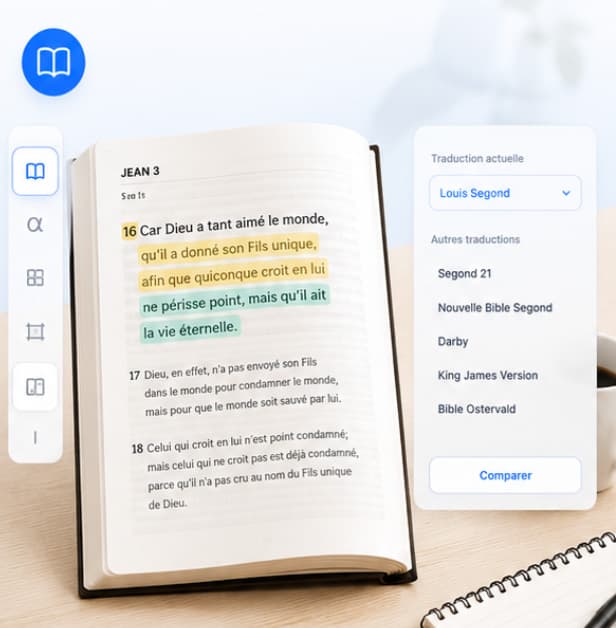
The Bible, translations, original languages, Strong's, references and integrated documents provide the foundation for the work.
Bibleo research & structure
The platform researches, selects and structures relevant information before preparing the output.
Targeted AI + human review
AI helps write, rephrase or generate some media; you review, correct, expand and decide.
The time savings come from the process already built behind the screen.
Workflows, research logic, Bible tools, output formats and automations were developed specifically for Bibleo. You don't have to rebuild that process for every request.
Read our AI transparency statementThe right tools for your mission. Real examples.
Explore what the software does, screen by screen: teaching, research, images, campaigns, calendar and picking projects back up.
Prepare a sermon & preach
Start from your reading and your notes to structure a sermon, a teaching, a series, a service or a Sunday school session, then prepare the slides, the PowerPoint deck and the exports you need.
word · pronunciation · translation
word · pronunciation · translation
Bible study & text checking
Work through a passage with Bible versions, context, Greek, Hebrew, Strong's, concordance, cross-references and assisted exegesis tools.
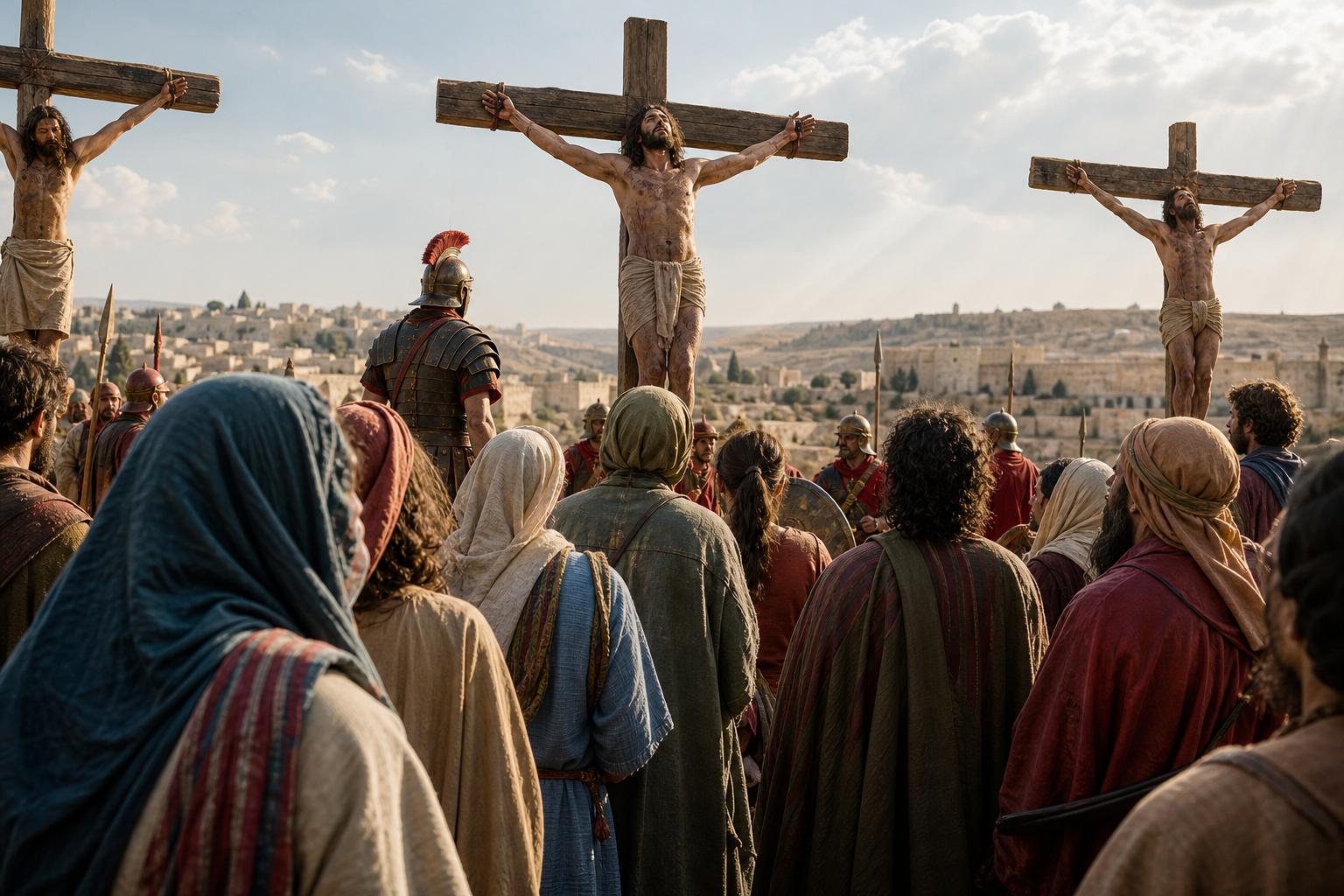
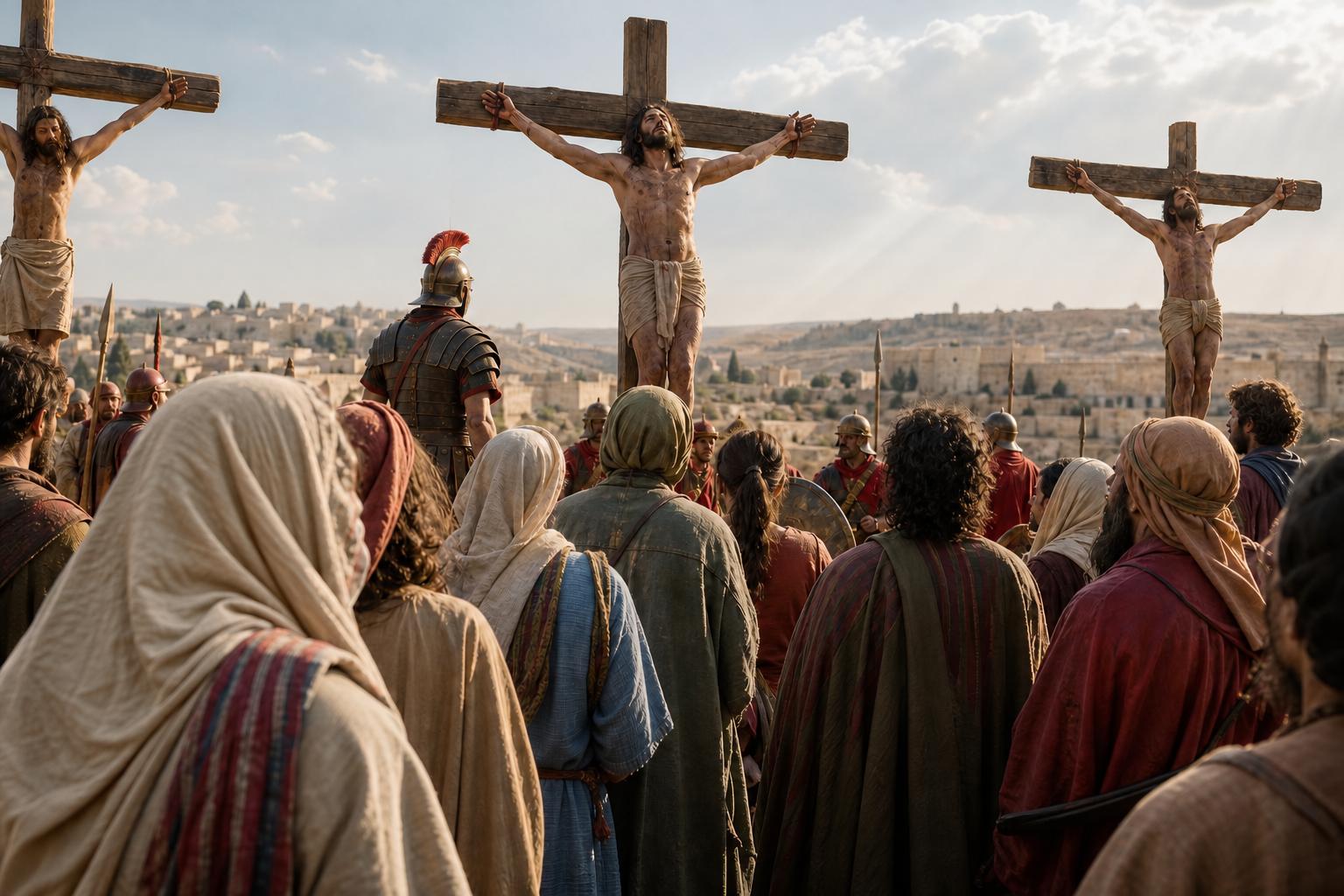
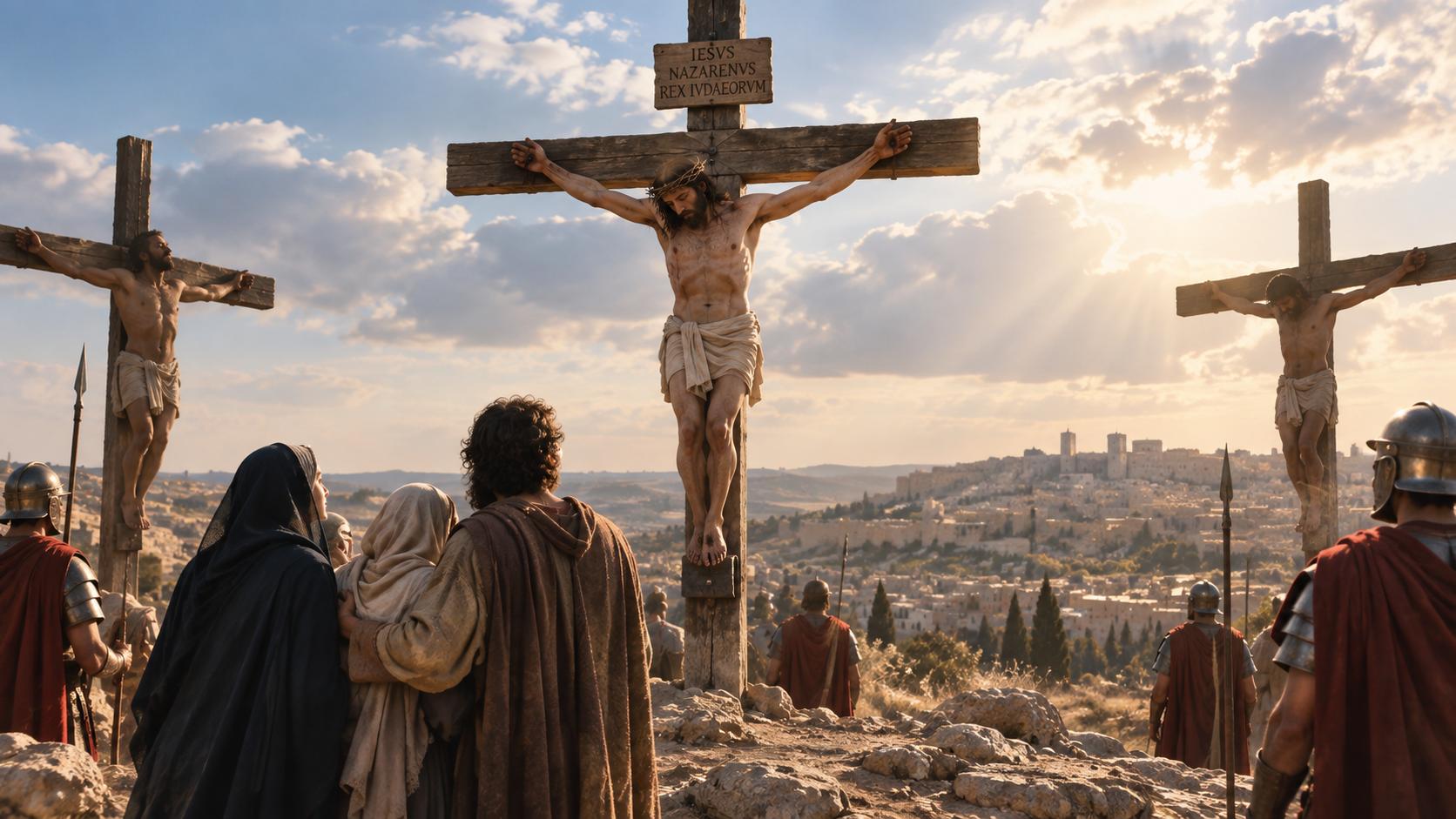 09:42 PROMPTThe crucifixion, a biblical scene in natural light
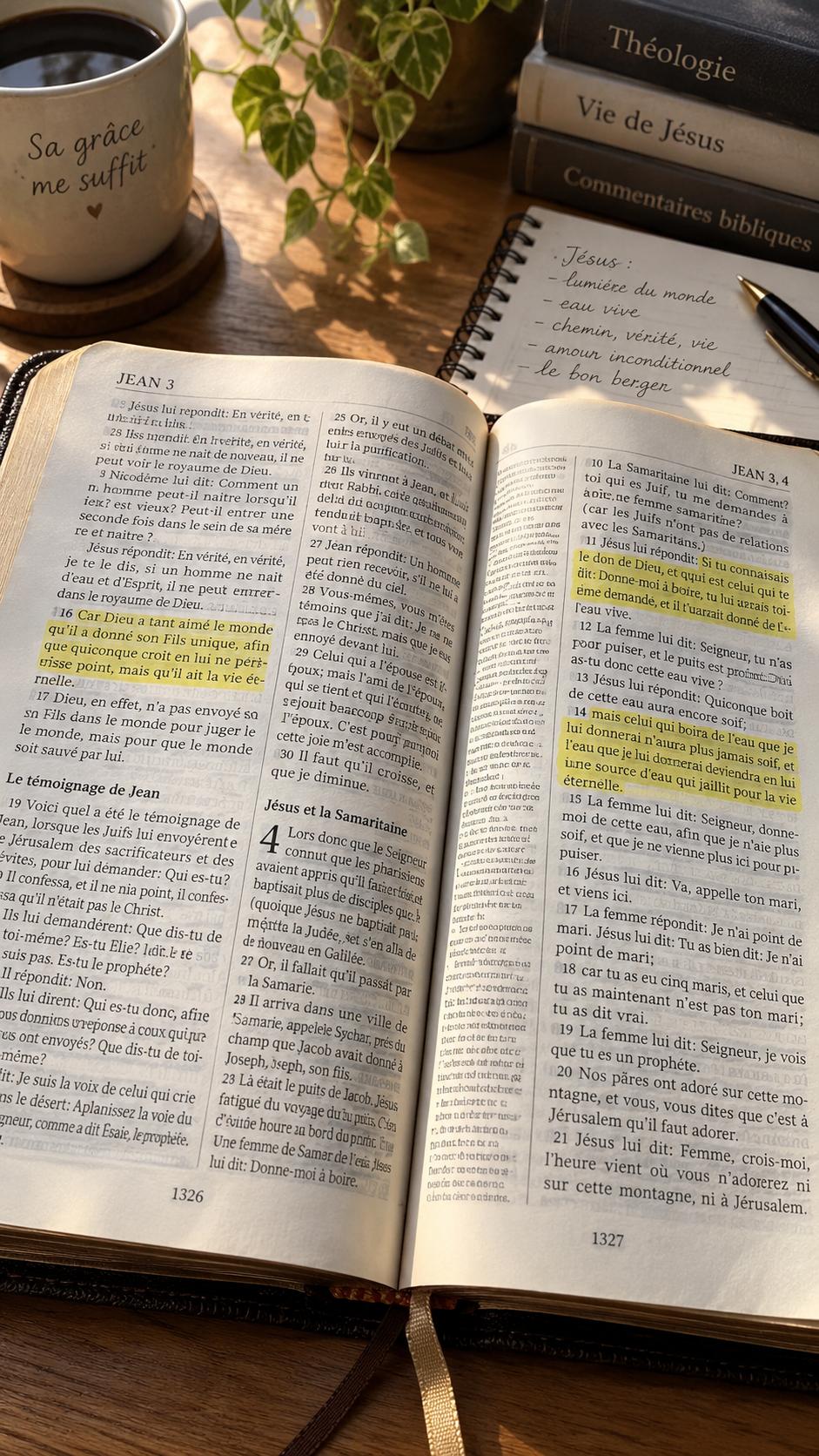
 10:18 PROMPTOpen Bible, notebook and soft morning light
 11:05 PROMPTIllustrated material introducing Jesus
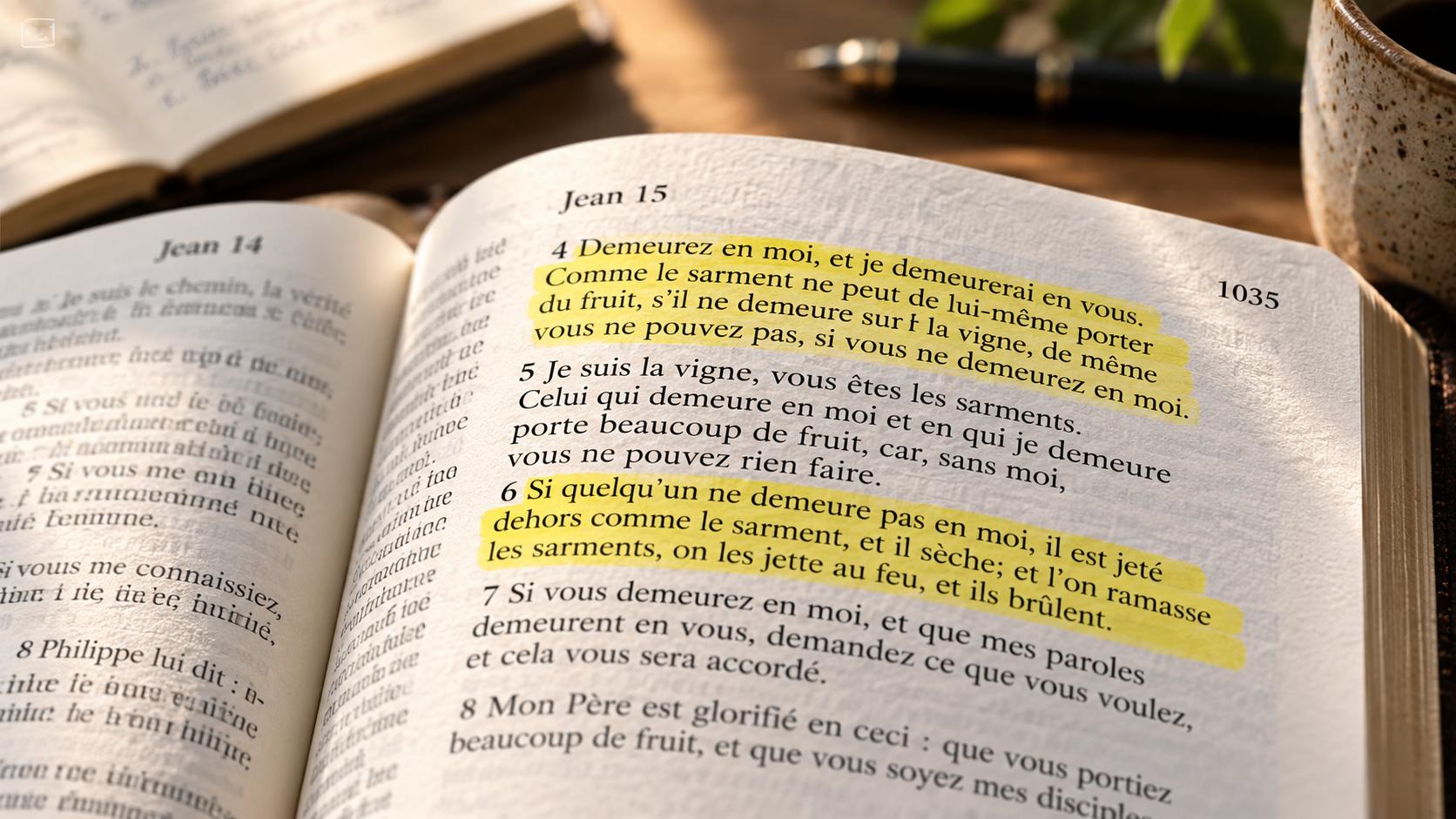 14:26 PROMPTA highlighted Bible passage, close-up view
Sample prompts and times · click to view images
Create visuals, videos & content
Create images, illustrated verses, short videos, posts, articles, newsletters, mini-books, song sheets and formats made for social media with artificial intelligence.
Main theme: understand the cross and respond to God's love.
- The passage and its contextPaul centers the message on Jesus Christ.
- The meaning of sacrificeThe cross, an expression of God's love.
- A response to live outReceive grace and love your neighbor.
Conclusion · reread the passage and take time to pray.
The message of the crossThis week, let's take time to read, discuss and pray together.
The cross invites us to contemplate God's love revealed in Jesus Christ.
Let's reread the passage and share what it reveals in our daily lives.
1 Corinthians 2:2Explore the message of the cross
Communicate & launch a campaign
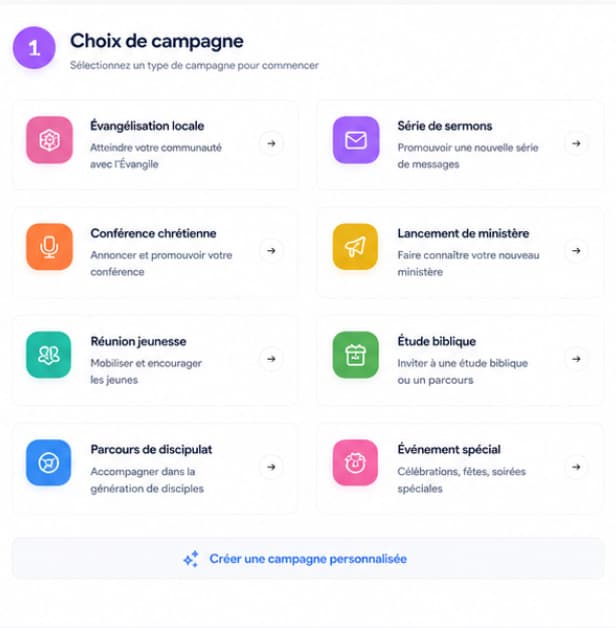
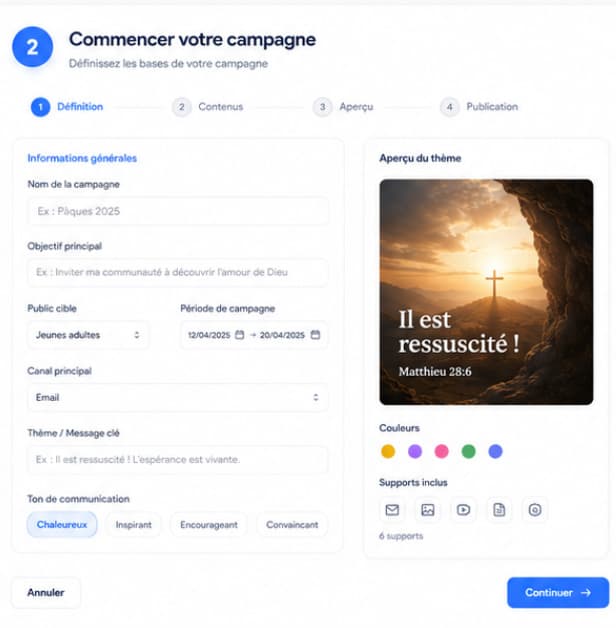
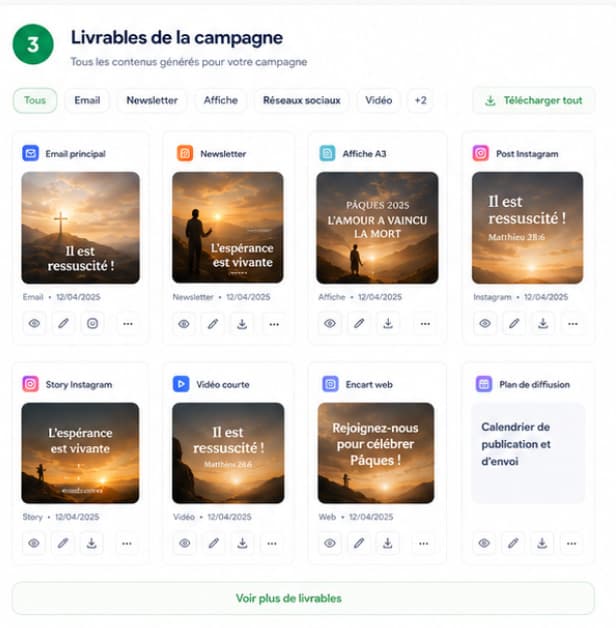
Start from a theme, a verse or a church or parish event and carry one direction across a master visual, presentation, posts, video, newsletter and schedule.
Share & organize with Ruth
Connect projects to appointments, reminders and tasks. Ruth centralizes organization and can connect to Google Calendar.
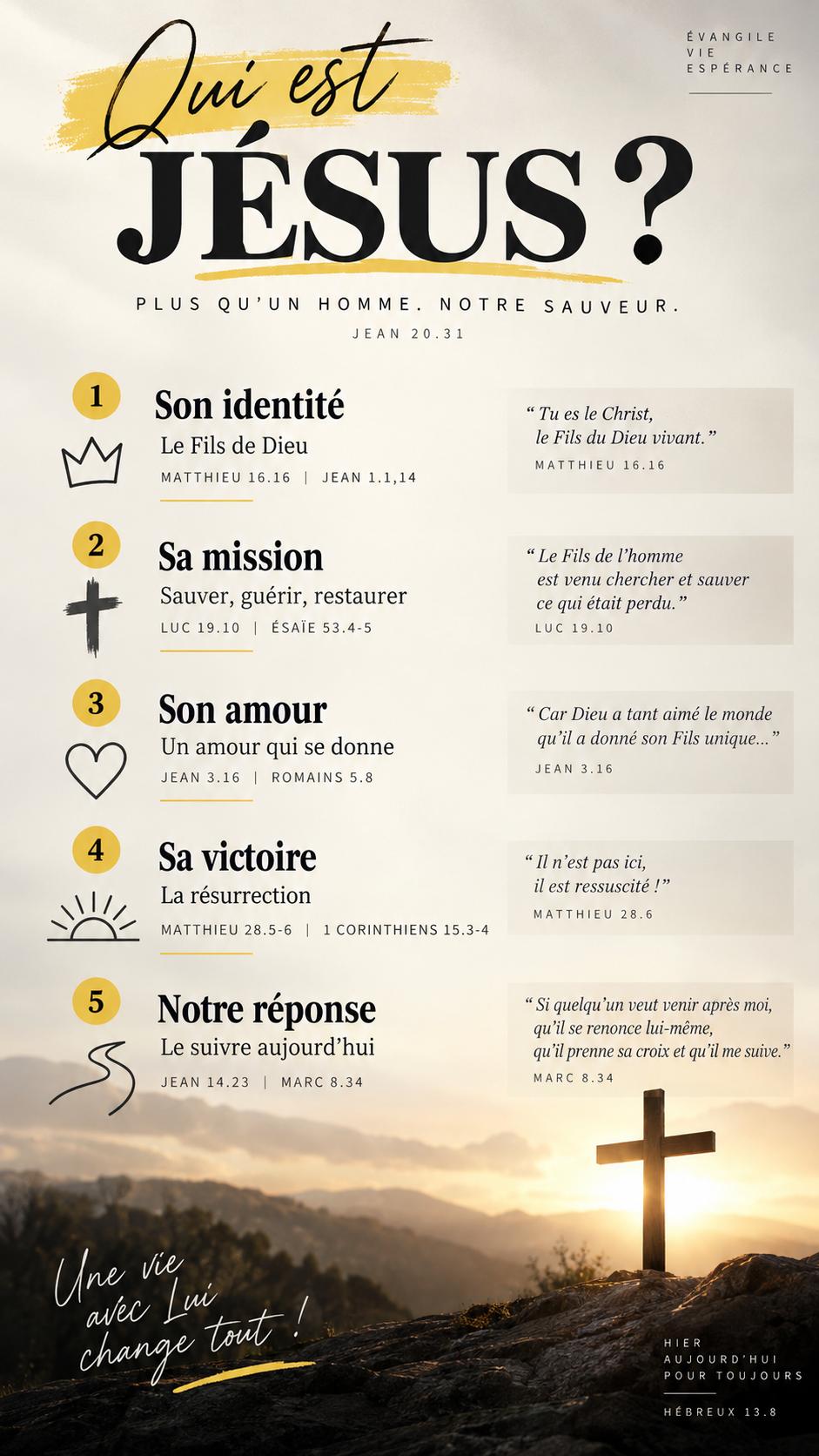
Pick back up & reuse
Find your existing content, images, videos and projects without starting over.
Meetings, emails, calendar. Ruth organizes what's next.
Schedule a meeting, email content and find your appointments and messages in Ruth's calendar and activity log.
Sample calendar · meetings, posts and messages organized with Ruth.
Find your projects. Pick up where you left off.
Return to an existing study, presentation, visual or project instead of starting from scratch.
Find exactly what you've already created
Search, content type, specialist and date: reopen the right project in seconds.
 Open your image and choose “Retouch an area”.
One area, one instruction: retouch your image while preserving the rest of the scene.
Find and rework your images
Find an image, request a change or retouch a specific area. Adjust your visuals and other creations before reusing or sharing them.
Four ways to begin without mastering AI.
Explore what Paul, Jean, Marc and Ruth create: one example per need, with the visual demonstrations kept.
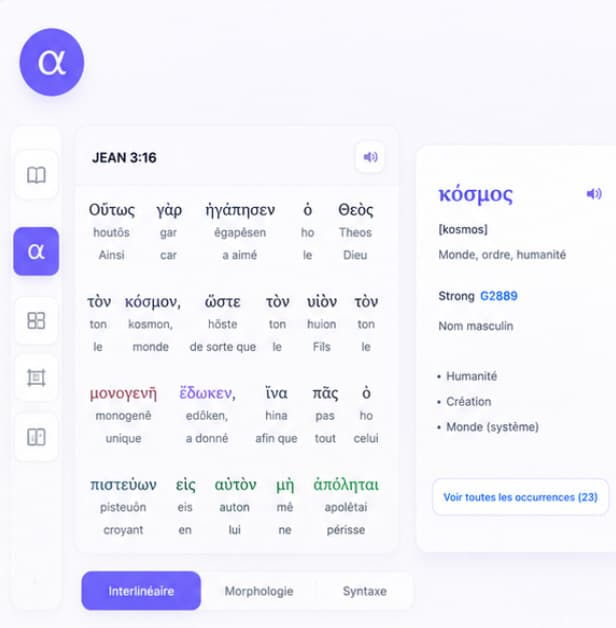
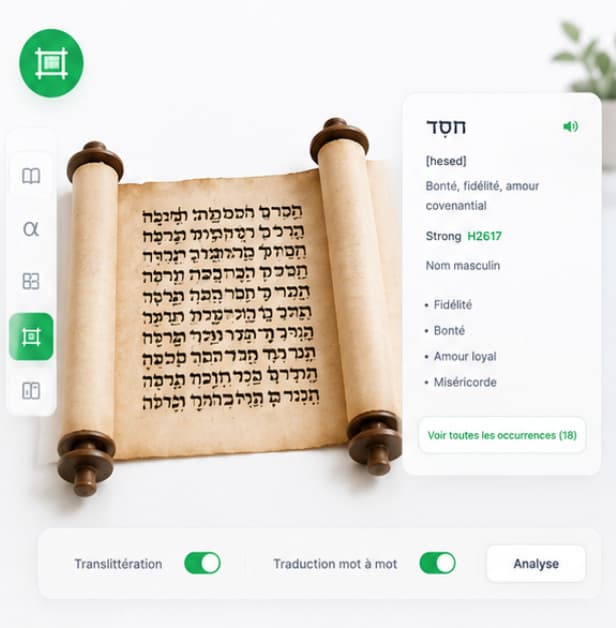
Open the interlinear when you need it
When one word carries the whole passage, check it: Greek or Hebrew, pronunciation and Strong number. Two minutes that change a sermon.
Strong concordance & References
Trace a word through all its occurrences and add cross-references to ground your outline.
PaulExpert Assistant
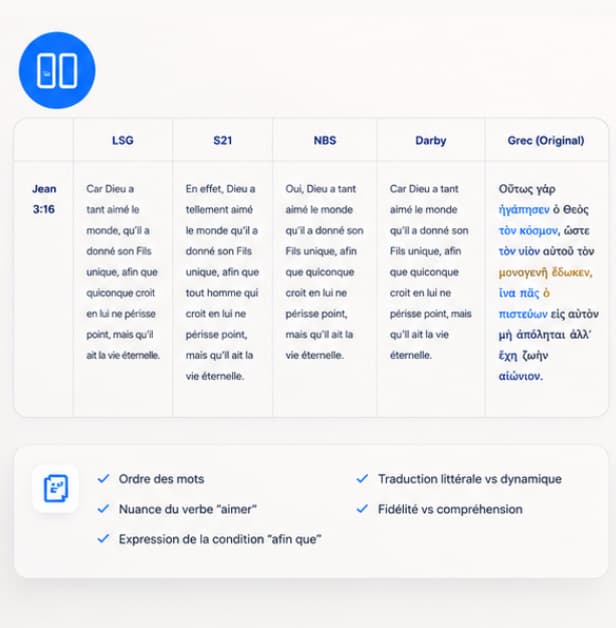
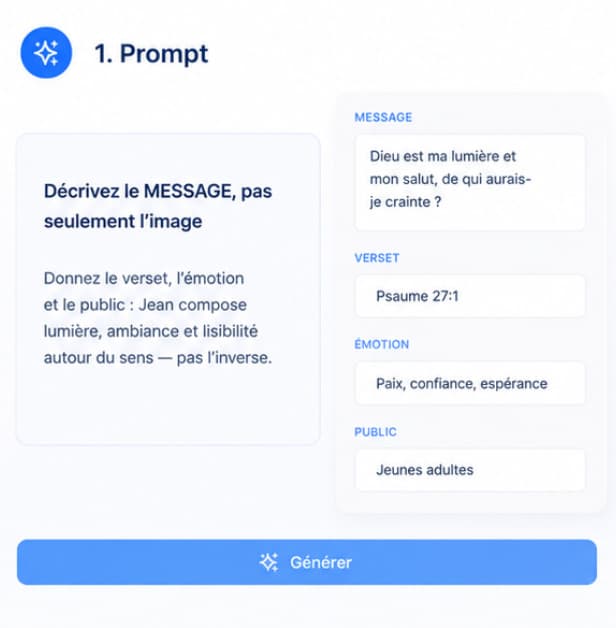
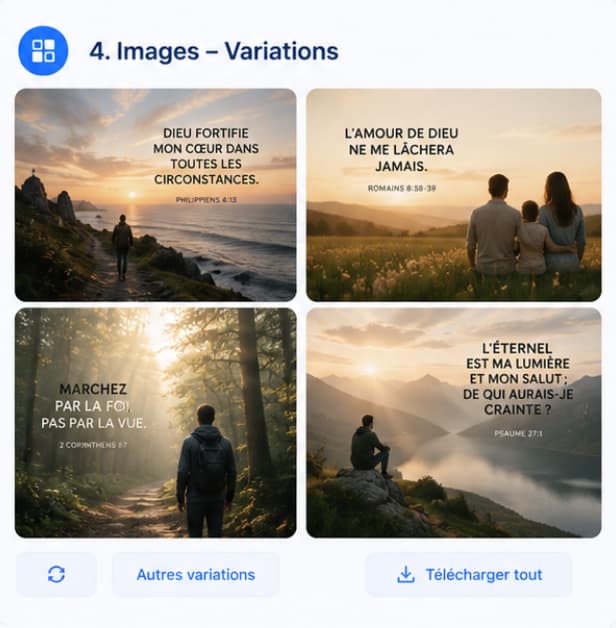
Describe the message, not just the image
Provide the verse, emotion and audience: Jean builds the lighting, mood and readability around the meaning.
Keep a clear direction
You approve the message and intent. Bibleo speeds up production and visual variations.
JohnVisual Assistant

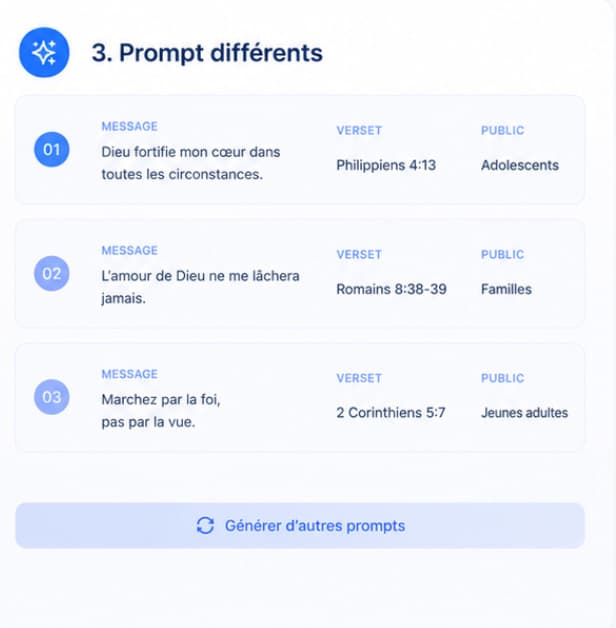
Define the need before the materials
Audience, timing, main channel, expected outcome: a few short answers help maintain one direction.
Rework in small touches
A material doesn't fit? Adjust it without losing consistency across the rest of the project.
 MarkNewsletter Assistant
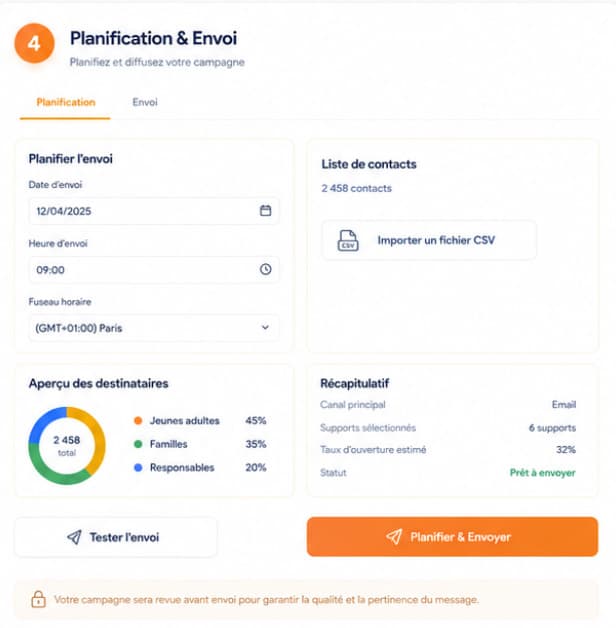
Plan what comes next
Appointments, reminders, approvals and sharing stay connected to the content you've just created.
Let the journal keep the thread
Each creation can stay linked to a next action so you can resume work without starting over.
 RuthCoordination Assistant

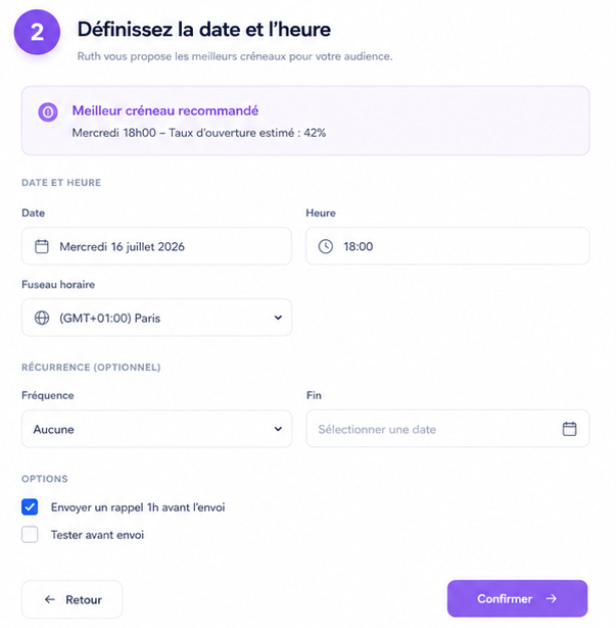

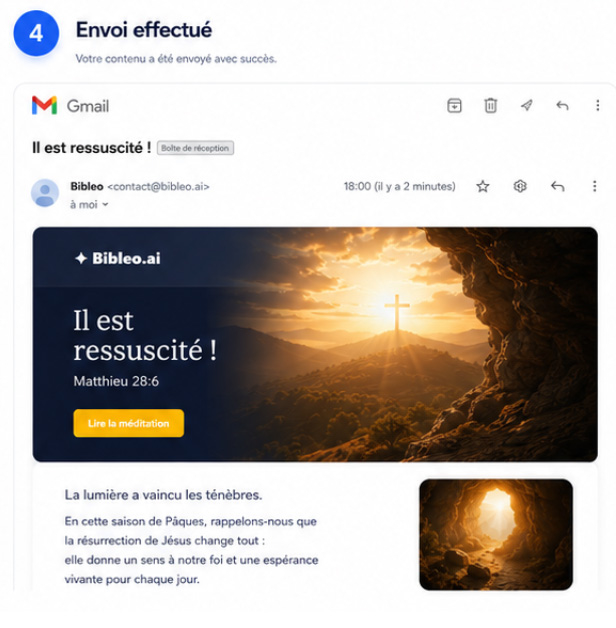
Creating doesn't stop at the download. Connect what comes next.
Connect the services you need for follow-up, sending and publishing without cluttering your workspace.

Google Profile
Account linkingAuthorized identity for secure Google connections and services.

Gmail
Sending emailsRuth can send confirmations and follow-ups when you decide.

Google Calendar
Appointments & remindersConnect events, appointments and reminders directly to Ruth's follow-up.

Publish scheduled content while keeping the project connected.
WhatsApp, Instagram, TikTok, YouTube and other connections are coming later
They use Bibleo. Here's their feedback.
“Avec Bibleo je peux revoir tous mes supports d'enseignement pour les petits et aussi les plus grands ! C'est tellement facile à utiliser et David est à l'écoute si j'ai besoins de conseils ou d'adaptation. Je recommande vivement ! ”
 Cyril P.Pasteur - (Beta testeur) · évangélique baptiste · Rueil-Malmaison
“Bibleo a simplifié toute notre communication Annonces, présentations et visuels sont prêts plus rapidement, avec une cohérence que nous n’avions pas auparavant. La préparation est devenue beaucoup plus fluide.”
 Paul M.Beta testeur de l'application · Île-de-France
“Créer des mini-livres pour les enfants est devenu simple Les histoires bibliques sont transformées en mini-livres prêts à être utilisés, adaptés à l’âge des enfants et faciles à réutiliser d’une séance à l’autre.”
 Sophie L.Beta testeuse de l'application · Toulouse
Start small. Scale up when you need to.
The trial starts with one free creation, no card required. Plans range from individual use to the intensive use of a ministry or a team.
Essential
To discover Bibleo, study and create your first content.
19 € / monthCreator
To regularly produce sermons, visuals, articles and social content.
49 € / monthStudio
To add videos, presentations, campaigns and more intensive production.
79 € / monthMission
For organizations that create, organize and share a great deal of content.
149 € / monthThe prices and features that apply are those on the Pricing page at the time you subscribe.
Your questions before getting started.
What is Bibleo.ai?
Bibleo.ai is a biblical AI platform that turns an idea into a usable project: a study, sermon, presentation, image, video, post or schedule with Ruth. Specialized agents work behind the scenes, coordinated by Bibleo to keep the experience simple.
Who is Bibleo for?
For churches, pastors, Christian content creators, teachers and families: everyone who wants to create, pass on or organize without starting from a blank page.
Is it faithful to the Bible?
Yes. The agents work on a mastered context (biblical texts and theological resources), and the final review always belongs to you. Discernment stays human.
Do I need a credit card to try?
No. Your first creation is free, no credit card required. You discover the platform, then choose a plan if it suits you.
Do I need to know how to use AI?
No. Describe your idea or choose a starting point such as Preach, Study or Image. Bibleo helps you refine your request. Review and adjust the content before sharing.
Does Bibleo replace all my other tools?
Not necessarily. Bibleo mainly aims to reduce the breaks between study, preparation, creation and organizing. You can keep using your usual tools whenever you need them, while keeping the project and its context in Bibleo.
How does it work in practice?
Describe your idea or choose a content type. Refine your request, start creating and find the result in your projects. You can review it, edit it and use the available exports.
Can I edit an image generated with Bibleo?
Yes. Reopen your image in your workspace and describe the change you want. You can also select an area to retouch. Text and other creations can also be reworked using the options available for each content type, before approval and sharing.
What is a campaign?
A campaign brings together several materials around one theme or event: a sermon, visual, posts, video and schedule. You define the audience and message, then choose and approve the useful content.
Who are the agents and what do they do?
Bibleo uses specialists for study and exegesis, sermons, visuals, video, social media, presentations and organization. You don't need to choose or manage twelve agents: Bibleo starts with your need and brings in the right specialists in the background.
What is Ruth for?
Ruth centralizes organization: global log, calendar, emails, reminders, scheduling, work tracking and the day’s priorities.
How do credits work?
Credits are used for costly generations and processing: images, videos, voice, exports or advanced calls. Your balance is visible in your account.
How is AI used?
AI assists preparation and formatting from a controlled biblical context. It suggests, you decide: the final validation is always human.
Does Bibleo make up verses?
No — the expected practice is to check references and re-read the passage in context. An important Bible quotation must always be verified before publishing.
Can an AI replace a pastor?
No. Bibleo assists with preparation and formatting. Prayer, discernment, pastoral responsibility and final validation remain human.
Is my data protected?
Bibleo limits data to what is needed for the account, generations and useful history. The responsibility pages detail the usage framework.
How should I handle a sensitive theological topic?
Bibleo can help organize viewpoints and sources, but doctrinal and pastoral decisions belong to the responsible person or team.